Tree Identification By Leaf
Tree Identification by Leaf: Key Clues and Examples
Learn which tree identification by leaf clues photos can show, the limits of one image, and the next checks worth doing before you rely on an ID.
A clear leaf photo can quickly narrow a tree to a handful of genera and common species. For many backyard and street trees, visible leaf traits—shape, margin, arrangement, and venation—separate maples, oaks, ashes, and poplars at a glance. That first pass reduces the work of field guides or an expert check.
Photo identification is fastest when you combine the leaf image with simple context: twig or branch orientation, nearby bark texture, and whether the leaf came from a single leaflet or a compound stem. The app uses those signals to provide candidate matches and the traits that led to each suggestion; it does not guarantee a final, professional verification from one photo.
If you want an immediate practical outcome, a well-composed leaf image plus one contextual shot can usually tell you whether the tree is likely a maple, oak, ash, birch, or another major group—then point to the most distinguishing follow-up checks to confirm the ID.

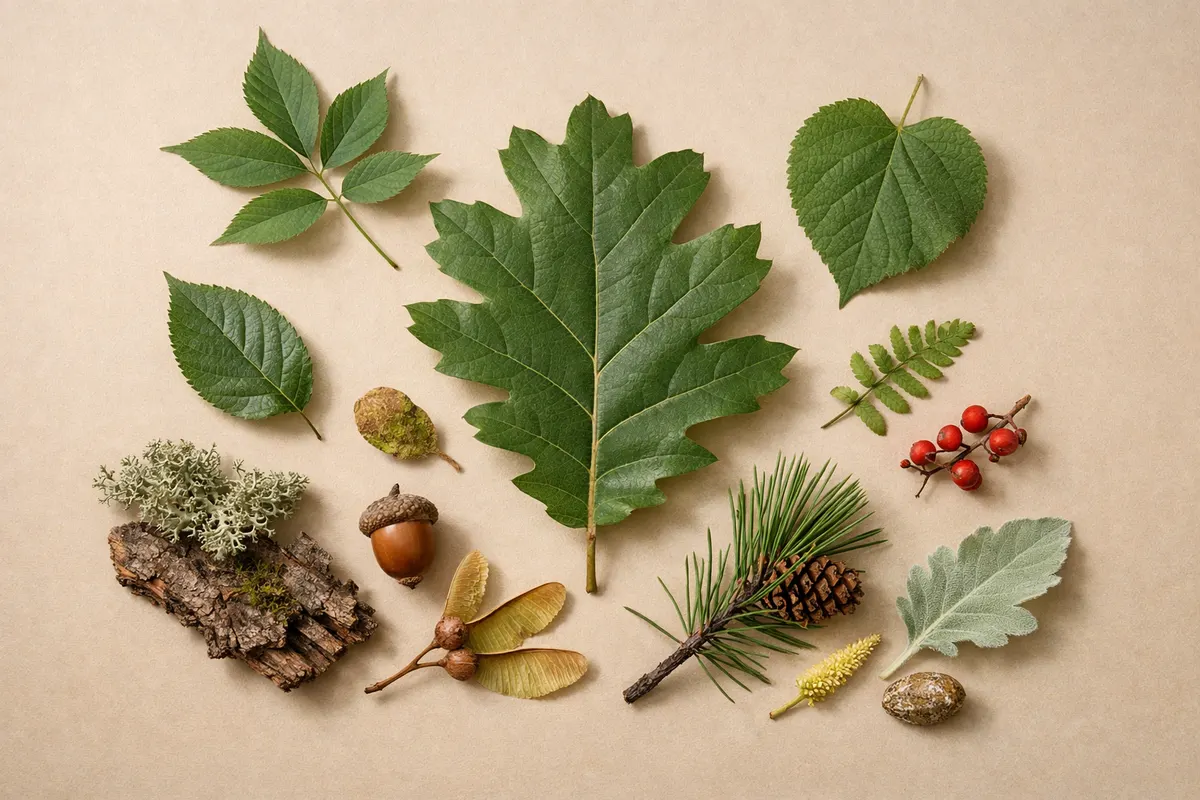
How identification works
Step 1
Snap a photo
Take a clear, well-lit photo of your item in the Leaf Identification: Leafzy app.
Step 2
Get an instant identification
The app reads the visible clues and returns the closest matches in seconds.
Step 3
Review the details
Compare the result with your photo, review any uncertainty, and check the suggested next steps.
Key leaf clues for tree identification
Shape and division are the first visual filters. Simple leaves (one blade per petiole) separate from compound leaves (multiple leaflets). A single pinnate leaf with opposite leaflets points to ash or walnut relatives; a palmate, lobed leaf often signals maples or horse chestnuts.
Margin and venation narrow the field further. Entire margins are smooth; serrated or toothed edges favor birch, elm, or beech. Pinnate venation (one central vein with side veins) is common to oaks and many broadleaves, while palmate veins radiating from the base identify maples and sycamores.
Attachment and arrangement are decisive: opposite leaves (pairs along the twig) are typical for maples and ashes, while alternate leaves (staggered along the stem) point to oaks, birches, and many others. Note the petiole length and presence of stipules—the app compares these photos to reference specimens to prioritize matches.
Surface texture, size, and distinctive marks help separate lookalikes. A glossy, thick leaf may indicate a magnolia or laurel relative; fuzzy undersides often show up in lindens or some willows. When a single image is ambiguous, a close-up of the leaf margin or the leaf base usually resolves the difference.
- Leaf type: simple vs. compound (check whether the leaf has one blade or multiple leaflets).
- Arrangement: opposite, alternate, or whorled along the twig.
- Margin: entire, serrated, lobed, or toothed edges.
- Venation: pinnate, palmate, or parallel vein patterns.
- Surface clues: hairiness, gloss, thickness, and any glandular dots visible in macro shots.
What a tree leaf identification report shows
A category report for tree identification by leaf focuses on observable traits and practical next steps rather than absolute certainty. Typical fields returned include probable genus and species candidates, a confidence indicator, the diagnostic leaf features used, and matched reference images.
The report will list close lookalikes and short notes on which additional photos would increase confidence—bark close-up, fruit or seed, full branch silhouette, or the leaf underside. For cultivated trees the result may add common cultivar names when the leaf and context match known varieties.
You’ll also get context tips: typical habitat, whether the species is commonly planted or wild in your region, and seasonal notes (for example, whether similar leaves belong to spring growth or summer flush). The report avoids monetary, health, or legal claims and points you to verification steps if you need a definitive ID.
- Species/genus candidates with ranked confidence.
- Key leaf traits that drove each match (shape, margin, arrangement, venation).
- Similar species to check and the specific photos that would confirm or rule them out.
- Context notes: habitat, planted vs. native likelihood, and seasonal leaf stage.
- A link to the What Tree Is This? tool for a guided photo submission workflow and example results.
Trees commonly confused by leaf
Maples versus horse chestnuts: both can show palmate leaves, but chestnut leaflets are separate on a single petiole; maples have one blade with palmate lobes. A close photo of the petiole and how leaflets attach resolves this quickly.
Oaks versus sweetgum: both may have lobed leaves, but oak lobes are asymmetric with sinuses and variable teeth; sweetgum leaves are star-shaped with regular lobes and a distinct central petiole. A clear view of the entire leaf outline and venation separates them.
Birches versus alders: both have serrated margins, but birch leaves tend to be thinner with strongly toothed edges and a papery texture, while alder leaves are thicker and may show gland-tipped teeth. A macro of the margin and a context shot of the twig are decisive.
- Look for attachment detail (petiole vs. leaflet stem) to separate palmate lookalikes.
- Compare venation symmetry to distinguish similar lobed species.
- Texture and edge close-ups often identify birch vs. alder or beech vs. hornbeam.
Frequently asked questions
How can I identify plant by leaf if I only have one fallen leaf?
Start by photographing the whole leaf on a neutral background with a scale (coin or ruler) and include a close-up of the petiole and both surfaces. Note whether it’s simple or compound, the leaf arrangement on the twig if known, margin type, and vein pattern. Upload those images to the tool to get genus-level matches and the extra photos an expert would need for higher confidence.
Does Leafzy support succulent identification from a leaf photo?
Succulent identification can be challenging from a single leaf because many succulents have modified or reduced leaves and rely on stem characters or growth habit. Leafzy can suggest candidates when the leaf shows diagnostic features, but the app will usually ask for additional images of the whole plant and growth form to improve accuracy.
How to photograph plants for identification when shooting under a tree canopy or low light?
Use an even light source—open a shaded pocket of sky behind you or use cloud-diffused light. Hold the leaf steady against a neutral background and enable HDR or exposure compensation on your phone to preserve edge detail. Include a scale, shoot both top and underside, and add a distance shot showing the branch silhouette for context; those images greatly improve automated matches.
Will a single app result be a final verification, or do I need more checks?
An app result is a strong first pass but not a professional verification. Use the candidate list and its suggested distinguishing features to take follow-up photos—bark, buds, fruit, or whole-branch form—and consult local field guides or an expert if you need a definitive identification.
Related guides
Try Leaf Identification: Leafzy for a quick species shortlist
After you’ve checked the visible leaf clues, use Leaf Identification: Leafzy to turn your photos into ranked tree candidates and clear next checks. The What Tree Is This? tool guides you through the exact shots that improve confidence and shows side-by-side reference images and lookalikes. Start the identification at https://leafidentification.app/tools/what-tree-is-this — treat the app as a first pass and follow the suggested verification steps if you need certainty.